

In ChatGPT, “Instant” is the official designation for OpenAI’s standard, low-latency, real-time response models (designed for fast daily tasks, brainstorming, and quick queries), as opposed to their “Thinking” models (which pause to map out complex logic or code before replying). let’s we see the ChatGPT instant Transition
The days of clunky, word-for-word machine translations are fading. While traditional tools often struggle with slang, tone, and context, Instant Translation Powered by ChatGPT is changing the game by treating language as a conversation rather than a math equation.
The “Instant Transition” refers to OpenAI officially sunsetting its older foundational default model (GPT-5.3 Instant) and completely migrating all users—including the free tier—to the newly upgraded GPT-5.5 Instant model.
The Latest Updated Info: 4 Major Changes
OpenAI quietly rolled out this transition globally, and it brought several major structural, cosmetic, and architectural changes to how ChatGPT handles day-to-day prompts:
1. Embedded “Inline” Model Selector
The traditional drop-down model selector at the top-left of the ChatGPT screen is gone. It has transitioned to an inline selector directly inside the chat window.
- Depending on your prompt, you will see a subtle label indicating whether the AI is using “instant” or “thinking” mode.
- You can click this inline label to manually override the model or access the new “Configure” menu.
2. Intelligent Auto-Switching Escalation
The transition introduces an automated routing system. You can set your default preference to Instant for maximum speed and lower token usage, but toggle on Auto-Switching. If you suddenly hand the AI a massively complex math problem or a convoluted block of code, the system will dynamically “escalate” the query to a Thinking model mid-chat without requiring you to open a new conversation.
3. Drastically Shorter, Concise Responses
One of the most noticeable updates with the 5.5 Instant transition is a war on “AI verbosity.” Responses are physically shorter and get straight to the point. The new model actively reduces overformatting, cuts out defensive preambles or safety over-warnings, and uses fewer gratuitous emojis. It delivers the same amount of technical utility with significantly less text to scroll through.
4. Deep-Context Personalization & Memory Sources
The transition changes how the model handles your background context. It is much faster at parsing past chats, uploaded files, and integrations (like connected workspaces) to tailor answers instantly.
- To counter privacy concerns, OpenAI introduced Memory Sources. When a response has been personalized using your background or past data, a dedicated source tag appears, allowing you to click it, see exactly what past context influenced the answer, and delete or adjust the memory if it’s outdated.
- Fewer Hallucinations: In internal high-stakes testing (legal, medical, financial), the new Instant model produced 52.5% fewer hallucinated factual claims compared to the 5.3 model it replaced.
Why ChatGPT Instant Translation
Most translation software operates on a “replacement” model—swapping one word for its closest match. ChatGPT uses Large Language Models (LLMs) to understand the “why” behind your sentence.
Nuance Recognition: It understands the difference between a formal business email and a casual text to a friend.
Cultural Context: It can adapt idioms that don’t have a direct translation, ensuring your message doesn’t sound “robotic.”
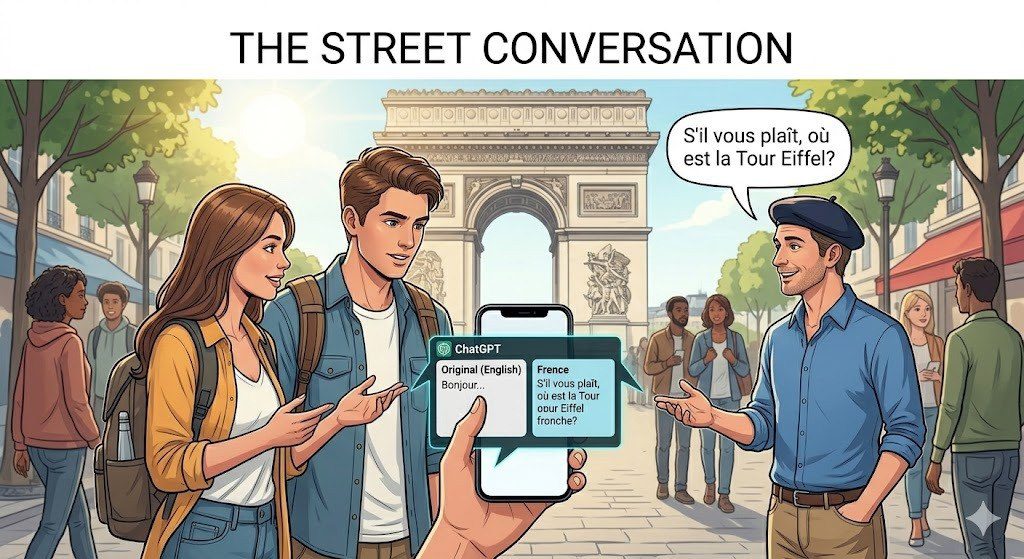
Real-time Correction: You can ask it to “make this sound more polite” or “translate this into a regional dialect,” giving you granular control.
How to Get the Best Instant Results
To get the most out of ChatGPT’s translation capabilities, your “prompting” strategy is key. Instead of just pasting text, try these techniques:
FAQ
Read