
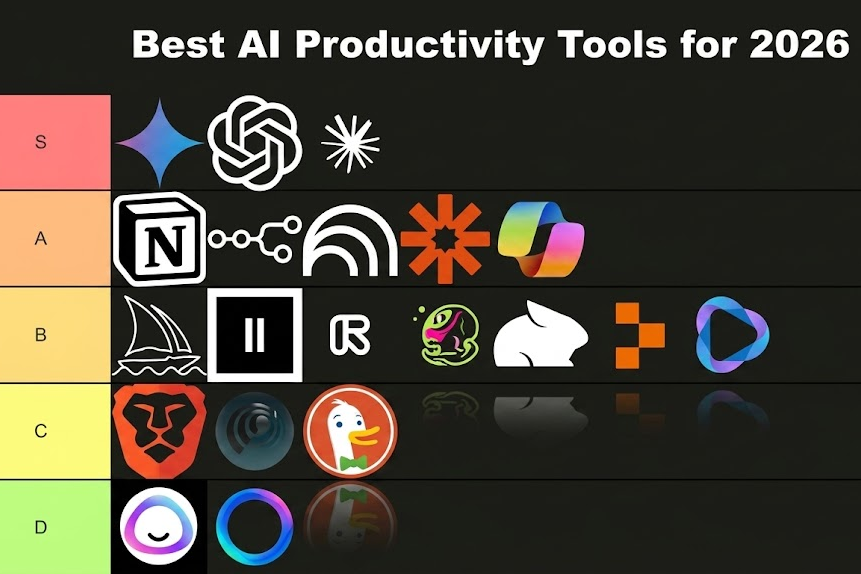
Introduction: We Are Living in the AI Tool Age But Most People Are Using It Wrong
Let me be honest with you. When AI productivity tools first started blowing up, I downloaded nearly every single one. I tested them, played with them, and in many cases, deleted them within a week. Not because they were bad — but because I was using them wrong.
Fast forward to 2026, and AI tools have matured dramatically. They are no longer just “chatbots that write emails.” The best ones today can manage your calendar, summarize meetings you missed, research topics in minutes, write and edit content, generate code, and even think through complex problems alongside you.
But here is the real problem: there are now hundreds of these tools. Everyone is calling their product “the best AI assistant.” So how do you know which ones are actually worth your time? In this post, I am going to break down the best AI tools for productivity in 2026 tools I have personally tested across different use cases. Whether you are a solo freelancer, a student, a business owner, or someone who just wants to spend less time on repetitive tasks, this list has something for you.
Let’s get into it.
What Makes an AI Tool Actually Productive
Before we list tools, we need to agree on what “productive” actually means. Because downloading 20 AI apps and switching between them every hour is the opposite of productivity.
A genuinely productive AI tool should:
- Save you measurable time — not just feel impressive
- Fit into your existing workflow — not require you to rebuild everything around it
- Give consistent, reliable output — not hallucinate facts or contradict itself every other day
- Be easy to learn — you should not need a YouTube tutorial series just to write a summary
With those standards in mind, here is what I found after months of real use.
1. Claude (Anthropic) Best for Thinking, Writing, and Long Documents
If I had to pick one AI tool to keep if everything else disappeared, it would be Claude. And I say that not because I am writing this on Claude’s platform, but because the reasoning quality genuinely stands out.
Claude in 2026 handles long-form content exceptionally well. You can paste an entire research paper, a business report, or a 50-page PDF and ask it to summarize, extract key points, compare sections, or rewrite sections in plain language. It does not lose the thread the way some other tools do.
What I use it for:
- Writing first drafts of long articles and reports
- Reviewing and editing my own writing for clarity
- Breaking down complex topics I need to understand quickly
- Brainstorming and thinking through decisions
The honest downside: Claude does not browse the internet by default in every plan. For real-time news and live data, you either need the web search feature enabled or you use it alongside another tool.
Best for: Writers, researchers, analysts, students, and anyone who works with large amounts of text.
2. ChatGPT (OpenAI) Best All-Around Assistant for Most People
ChatGPT is still the most widely used AI tool in the world in 2026, and honestly, that reputation is earned. With GPT-5 now powering the premium tier, the quality of responses has jumped significantly compared to even 12 months ago.
What makes ChatGPT strong is its versatility. It can write code, explain medical concepts in plain English, help you plan a trip, debug your spreadsheet formula, draft a LinkedIn post, and answer follow-up questions — all in one conversation.
The GPT-4o model (available on the free tier) is still surprisingly capable for everyday tasks. But if you are using it for work seriously, the paid plan with GPT-5 access is worth it.
What I use it for:
- Quick answers and explanations
- Coding help (especially debugging)
- Drafting short-form content like social posts and emails
- Learning new concepts fast
The honest downside: With such a wide user base, OpenAI’s servers can get slow during peak hours. And sometimes the tool plays it overly safe, refusing or over-qualifying answers that are perfectly fine.
Best for: General users, developers, marketers, and anyone who needs an all-purpose assistant.
3. Notion AI — Best for Teams and Project Management
If your entire workflow lives inside Notion, then Notion AI is a no-brainer upgrade. It is baked directly into your workspace, which means zero friction. You are not switching tabs or copying text between apps.
Notion AI in 2026 can autofill databases, write meeting summaries from notes, suggest action items, translate pages, improve writing tone, and generate structured documents from rough bullet points. It genuinely understands your workspace because it has access to your existing pages.
What I use it for:
- Turning messy meeting notes into clean summaries
- Generating project briefs from bullet-point ideas
- Filling in database fields automatically
- Writing SOPs (Standard Operating Procedures) faster
The honest downside: Notion AI is not a standalone powerhouse. Outside of Notion, it does not exist. If you are not already a Notion user, the learning curve for the platform itself might slow you down before you even get to the AI features.
Best for: Teams, project managers, content planners, and startup founders.
4. Perplexity AI Best for Real-Time Research
This one surprised me. Perplexity AI positions itself as an “AI-powered search engine,” and in 2026, it has become my first stop for any research task that requires current information.
Unlike standard chatbots, Perplexity actually searches the web in real time and cites its sources. So when you ask it something like “what are the latest developments in quantum computing,” it pulls from actual, recent articles — not training data from a year ago.
The interface is clean. The answers are focused. And the citations allow you to dig deeper if you need to verify something.
What I use it for:
- News research and background reading
- Fact-checking claims before publishing
- Competitive analysis (checking what competitors are doing right now)
- Learning about a new topic quickly with verified sources
The honest downside: It is better at researching than creating. Do not expect it to write a polished 2,000-word article. It is a research and discovery tool, not a writing assistant.
Best for: Journalists, researchers, marketers, and anyone who needs current, sourced information fast.
5. Grammarly with AI — Best for Writing Polish
Grammarly has always been a solid writing tool, but the AI upgrade in recent years has transformed it from a grammar checker into a real writing partner. In 2026, Grammarly’s AI can now suggest full sentence rewrites, adjust your tone for different audiences, and even flag when your writing sounds unclear or passive.
What I like most is that it works everywhere — inside Google Docs, Gmail, LinkedIn, your browser, even Microsoft Word. You do not have to copy-paste anything.
What I use it for:
- Polishing blog posts before publishing
- Rewriting emails to sound more professional or friendly depending on who I am writing to
- Catching things I miss on my third read-through
The honest downside: The free version is now quite limited. Most of the useful AI features require the Premium plan. And some suggestions feel robotic if you have a strong personal voice — you have to learn when to accept and when to ignore.
Best for: Content creators, professionals, non-native English speakers, and anyone who writes as part of their job.
6. Otter.ai — Best for Meeting Transcription
If you are in back-to-back meetings all day, Otter.ai will change your life. It joins your Zoom, Google Meet, or Microsoft Teams calls, transcribes everything in real time, highlights key moments, and gives you a searchable summary afterward.
In 2026, Otter’s AI summary feature has improved to the point where it can identify who said what, what action items were agreed on, and what questions were left unanswered — all automatically.
What I use it for:
- Capturing client calls without furiously taking notes
- Reviewing what was said in a meeting I had to leave early
- Building a searchable archive of recorded discussions
The honest downside: Accuracy drops when multiple people speak at once or in noisy environments. It also sometimes misidentifies speakers, especially on large calls.
Best for: Consultants, remote workers, managers, and anyone in a lot of meetings.
7. GitHub Copilot — Best for Developer
If you write code for any part of your work, GitHub Copilot is not optional anymore in 2026 — it is a standard professional tool. It autocompletes code, suggests full functions, explains existing code in plain English, and catches errors before they become bugs.
The 2026 version integrates directly into VS Code, JetBrains, and other major editors. It now supports multi-file context, meaning it understands your entire project — not just the file you have open.
What I use it for:
- Autocompleting repetitive code patterns
- Writing boilerplate code fast
- Understanding unfamiliar codebases
- Generating test cases
The honest downside: It sometimes suggests code that looks right but has subtle bugs. You still need to understand what you are building — Copilot is not a replacement for coding knowledge.
Best for: Developers, data scientists, and technical founders.
How to Actually Use These Tools Without Getting Overwhelmed
Here is the honest truth: you do not need all seven of these tools. Trying to use every AI tool at once is exactly how you waste time instead of saving it.
My personal recommendation is to pick tools based on your biggest time drain:
- If you write a lot → Claude or ChatGPT + Grammarly
- If you research a lot → Perplexity AI
- If you are in meetings all day → Otter.ai
- If you manage projects → Notion AI
- If you code → GitHub Copilot
Start with one. Get comfortable. Then add another only when you actually need it.
Final Thoughts: AI Tools Are Only as Good as the Person Using Them
The biggest mistake I see people make with AI productivity tools is treating them like magic. You type in something vague and expect brilliance. It does not work that way.
These tools are powerful when you give them clear instructions, good context, and specific goals. Think of them as a very capable assistant who needs direction not a mind reader.
In 2026, the people who are getting the most out of AI tools are not necessarily the most technical. They are the ones who have learned how to communicate clearly with these systems, check the output critically, and adapt their workflow without letting the tools take over.
That is the real skill. And it is one worth developing.
Also Read:
- Claude 4 vs GPT-5 vs Gemini 2: Which AI Model Wins in 2026?
- What is Agentic AI? How Autonomous Agents Are Reshaping Work in 2026
- Best Password Managers in 2026: Tested, Compared, and Ranked
Did this help? Share it with someone who keeps asking you “which AI tool should I use?” — save yourself the explanation.